Table of contents
Remote work is no longer a temporary fix, and companies are now redesigning their culture, their workflows, and their digital hygiene around it. That shift has an unexpected side effect: the spaces people work in, seen constantly on video calls, have become part of the brand. Wallpapers, once treated as decoration, now influence concentration, meeting fatigue, and even how credible someone looks on camera, and the data behind those effects is harder to ignore.
Video calls turned walls into brand assets
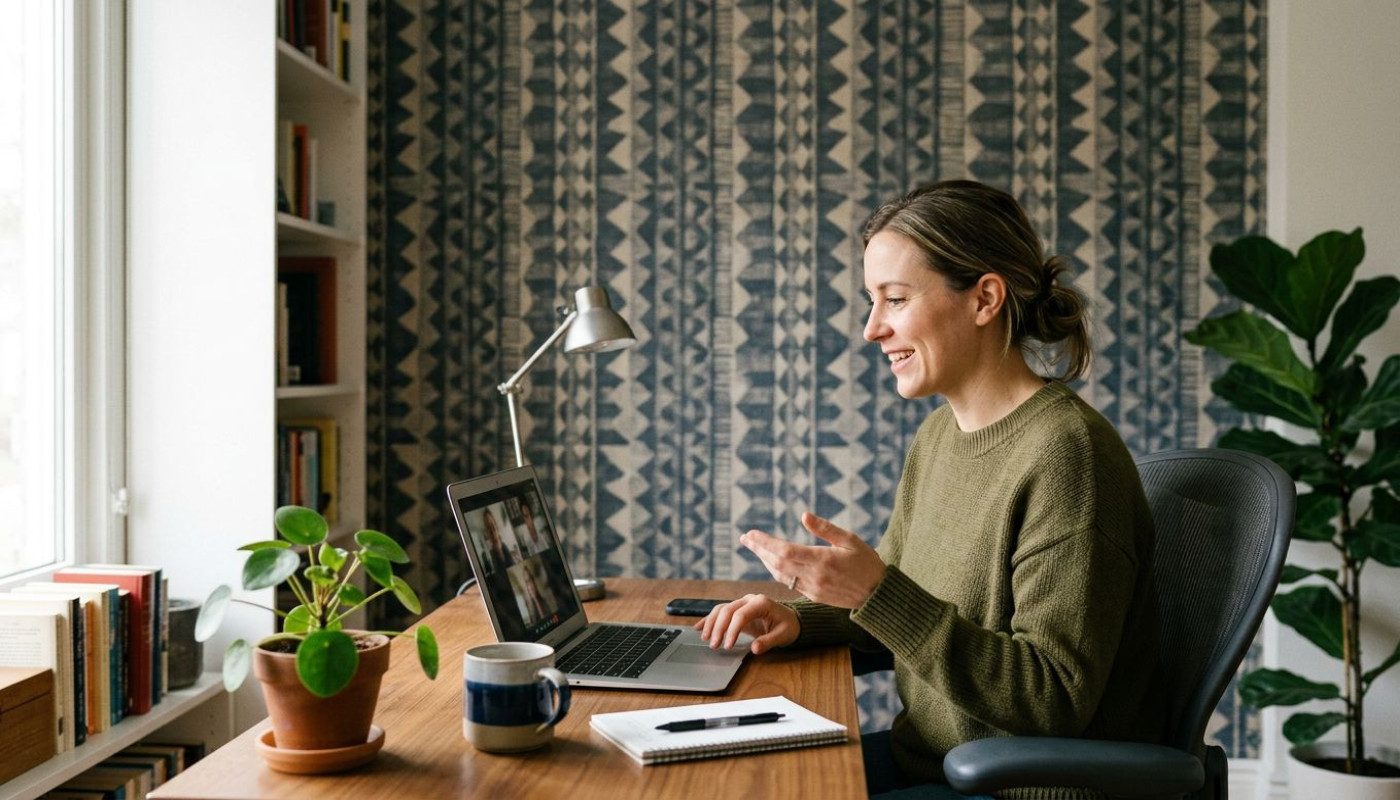
How did a spare wall become strategy? Because remote work pushed millions of conversations onto cameras, and the background suddenly started doing reputational work that used to belong to office lobbies, meeting rooms, and reception areas. Microsoft’s 2023 Work Trend Index found that time spent in Teams meetings remained elevated compared with pre-pandemic norms, and while many organizations reduced office footprints, they did not reduce the number of interactions that happen face-to-face on screen. In that context, the home backdrop functions as a micro-set: it frames the speaker, affects perceived professionalism, and shapes how colleagues experience the exchange, especially in high-stakes moments like interviews, client pitches, board updates, and performance reviews.
This is not just about taste; it is about signal. Research in social perception consistently shows that people form impressions quickly based on visual cues, and in a video-first environment those cues include lighting, clutter, and the contrast between subject and background. A busy pattern behind a speaker can compete for attention, and low-contrast walls can flatten facial features when webcams and compression already reduce detail. Remote-working companies, particularly those with client-facing roles, increasingly standardize camera guidance the way they standardize slide templates: neutral but not sterile backgrounds, fewer high-glare surfaces, and textures that read well at low resolution. That is why some teams now treat wallpaper selection as a small but scalable intervention, one that creates consistent visual quality without forcing employees into a one-size-fits-all “blank wall” aesthetic.
Productivity lives or dies by visual noise
Your brain never really stops scanning. In cognitive psychology, the idea that attention is a limited resource is well established, and environmental stimuli can either support focus or sap it. In offices, companies pay for acoustic panels, lighting studies, and ergonomic furniture because the environment affects output. In remote work, the same logic applies, but the levers are different: the field of view is narrower, yet it is also more intimate, and workers spend long stretches facing the same surfaces. The U.S. Bureau of Labor Statistics has repeatedly shown that knowledge work is dominated by “quiet” tasks, and even small frictions add up across hours and days, especially when employees are juggling deep work with message-heavy collaboration.
Wallpapers can reduce or amplify that friction. Highly contrasted, high-frequency patterns can create a sense of busyness, while extremely bright whites can increase glare and eye fatigue, particularly under overhead LEDs or when a desk faces a window. Color research, including widely cited findings in environmental psychology, suggests that cooler hues can support calm and sustained attention, while warmer tones may increase arousal and perceived energy, although outcomes depend on saturation, lighting, and personal sensitivity. Remote-working companies that want measurable improvements do not need grand renovations; they need repeatable standards: matte finishes to limit reflections, mid-tone palettes to help webcams expose faces properly, and patterns that add warmth without turning the screen into a visual competition. In practice, many employees achieve that balance by choosing textured neutrals, subtle geometrics, or muted murals that provide depth on camera and quietness off camera.
Recruitment, retention, and the hidden “workspace tax”
Remote work promised freedom, but it also shifted costs. Employees often invest in chairs, lighting, headsets, and better internet, and the background is part of that same “workspace tax”, even if it is rarely named in budgets. Gallup’s 2023 reporting on remote and hybrid preferences underscored that flexibility is strongly tied to retention intent, yet flexibility works only when people can perform well at home without feeling embarrassed by their setup or constantly improvising around it. If a company expects frequent camera-on meetings, then the background ceases to be a private detail and becomes a professional interface, and that can create pressure, especially for early-career staff, renters, and people in shared living situations.
This is where wallpaper becomes more than a personal purchase, and starts to look like a fairness issue. A portable, renter-friendly option can quickly improve on-camera professionalism, reduce reliance on artificial background blurs that sometimes distort hair and hands, and help employees feel “ready” without spending heavily on furniture or dedicated rooms. Some organizations already reimburse home-office equipment, and several countries encourage or regulate aspects of that support; in the UK, for example, HMRC rules allow employers to pay certain homeworking expenses, and while décor is not typically treated like equipment, many firms still provide discretionary stipends to reduce inequities. For employees looking for straightforward options, it can help to navigate to these guys to compare styles, finishes, and practical details like washable surfaces or paste-the-wall installation, and then choose designs that work both for daily focus and for the camera.
What “good wallpaper” means on a webcam
Forget perfection; aim for readable. Video compression, auto-exposure, and noise reduction can turn beautiful walls into shimmering distractions, and that is why the best wallpaper for remote work is often the one that behaves well under imperfect technology. Start with contrast: if hair and clothing are dark, a slightly lighter wall helps separation; if the wall is dark, make sure the face is properly lit so the camera does not brighten the background and dim the subject. Texture matters too, because gentle texture adds depth without creating moiré, the wavy artifacts that appear when fine patterns clash with camera sensors. A subtle linen effect, low-frequency geometrics, or soft gradients tend to survive Zoom and Teams better than tight stripes or high-detail motifs.
Then consider how the wall supports the rhythm of the day. Remote workers often move between tasks that demand different mental modes, and the same environment has to serve all of them: a calm background for writing and analysis, and a credible frame for external calls. Practicalities matter as much as aesthetics: washable surfaces for high-traffic rooms, matte finishes to limit glare, and colors that stay consistent across daylight and artificial light. For companies, the most effective approach is to provide a short style guide rather than dictate taste, and to pair it with small financial support or curated recommendations, because that respects individuality while nudging outcomes toward clarity, comfort, and brand coherence.
How to budget and act, without overthinking
Plan like a newsroom: decide, source, execute. Start by identifying where calls happen most often, then measure the visible area in camera view rather than the entire room, because a single well-chosen wall can do the job. Set a realistic budget that accounts for tools, adhesive, and potential removal, and check whether your employer offers a home-office stipend or reimbursement policy. If you rent, prioritize removable or paste-the-wall solutions, and book installation only if time is scarce or walls are uneven.
Similar

Exploring The Versatility Of Mulchers And Chippers In Forestry
